


ou’ve spent time creating your Google Business Profile, added your business information, uploaded photos, verified your listing, and expected customers to start finding you online. But when you search for your business on Google or Google Maps, it’s nowhere to be found.
This is one of the most common problems business owners face.
Whether you own a restaurant, clinic, gym, retail store, salon, or service-based business, not appearing on Google can mean lost visibility, fewer customer inquiries, and missed sales opportunities.
The good news is that in most cases, this issue can be resolved.
In this guide, we’ll explain why your Google Business Profile may not be showing and provide practical steps to help restore your visibility.
Why Your Google Business Profile Might Not Appear
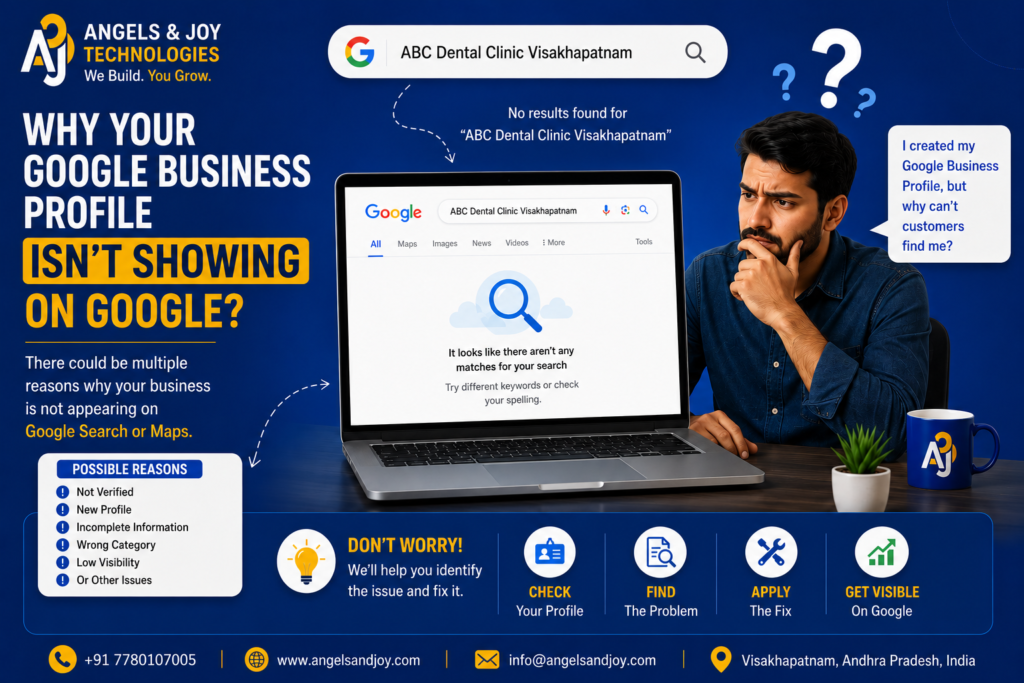
Google doesn’t instantly display every business profile after it’s created.
Before showing your business to customers, Google checks several trust and quality factors to ensure the listing is accurate and legitimate.
If any of these factors are missing or incomplete, your profile may not appear in search results or on Google Maps.
Let’s explore the most common reasons.
1. Your Business Profile Hasn’t Been Verified
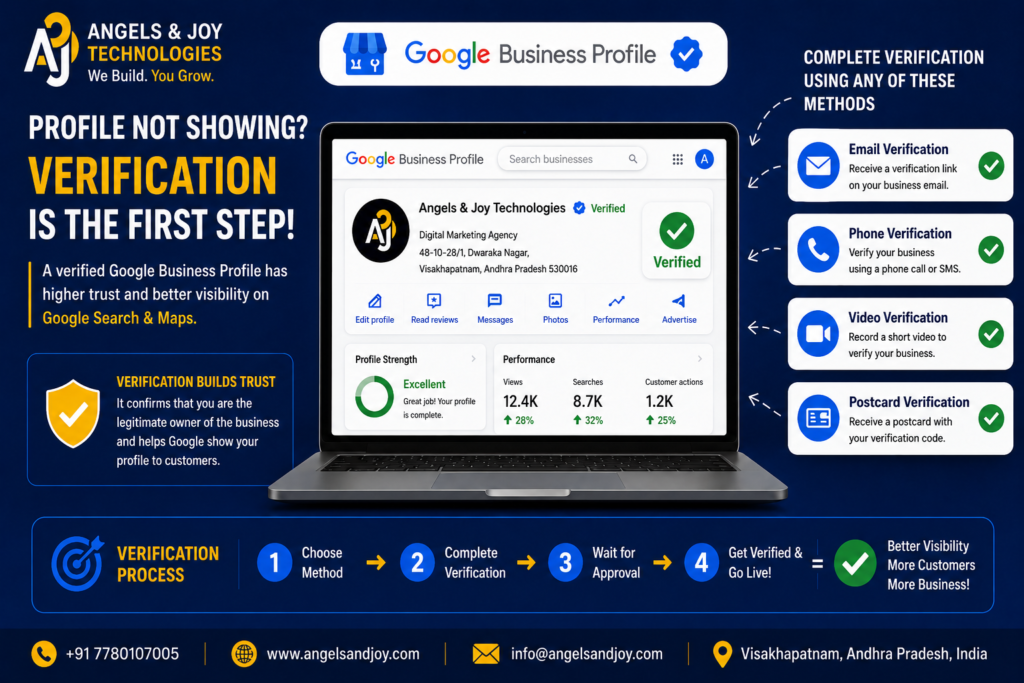
Verification confirms that you are the legitimate owner of the business.
Until verification is completed, Google may limit your profile’s visibility.
How to Fix It
- Log into your Google Business Profile.
- Check your verification status.
- Complete verification using the method provided by Google (video verification, phone, email, or postcard, depending on eligibility).
- Wait for Google to process the verification.
Once verified, your profile has a much better chance of appearing in search results.
2. Your Profile Is Too New
Many business owners expect immediate visibility after creating their listing.
In reality, Google often needs time to review and index new profiles.
This process may take anywhere from a few days to several weeks.
How to Fix It
Be patient while continuing to improve your profile by:
- Adding business hours
- Uploading photos
- Writing a business description
- Listing services
- Keeping information complete and accurate
An active profile is more likely to gain visibility once Google finishes reviewing it.
3. Your Business Information Is Incomplete
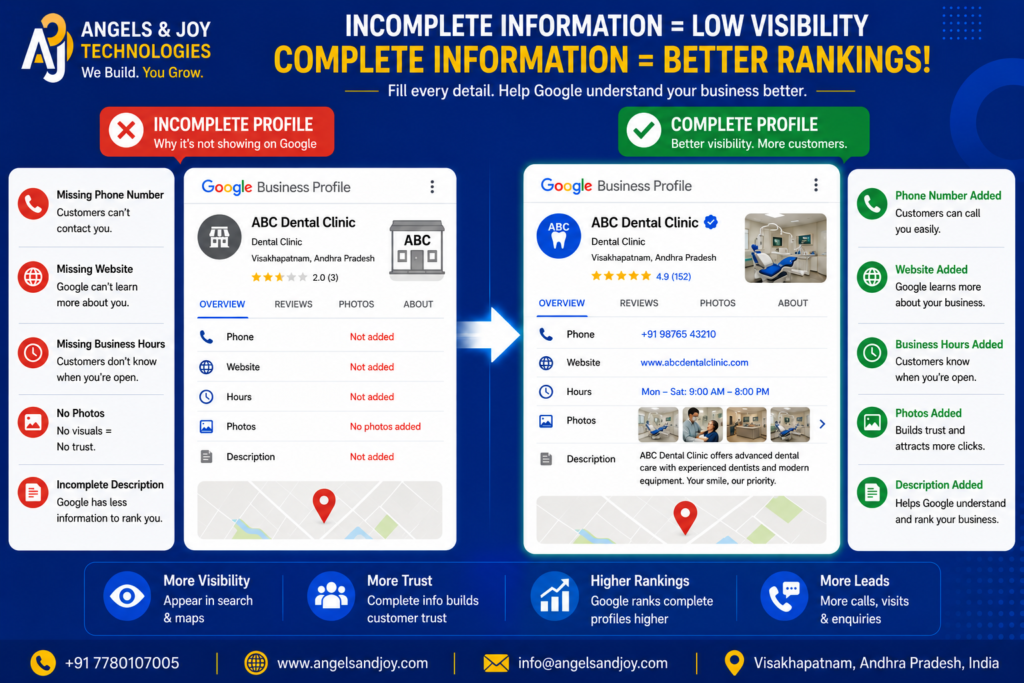
Incomplete profiles often struggle to rank because Google lacks enough information to understand the business.
Missing details might include:
- Business description
- Categories
- Services
- Phone number
- Website
- Business hours
- Photos
How to Fix It
Complete every available section in your Google Business Profile.
The more complete your profile is, the easier it is for Google to match your business with relevant customer searches.
4. You Selected the Wrong Business Category
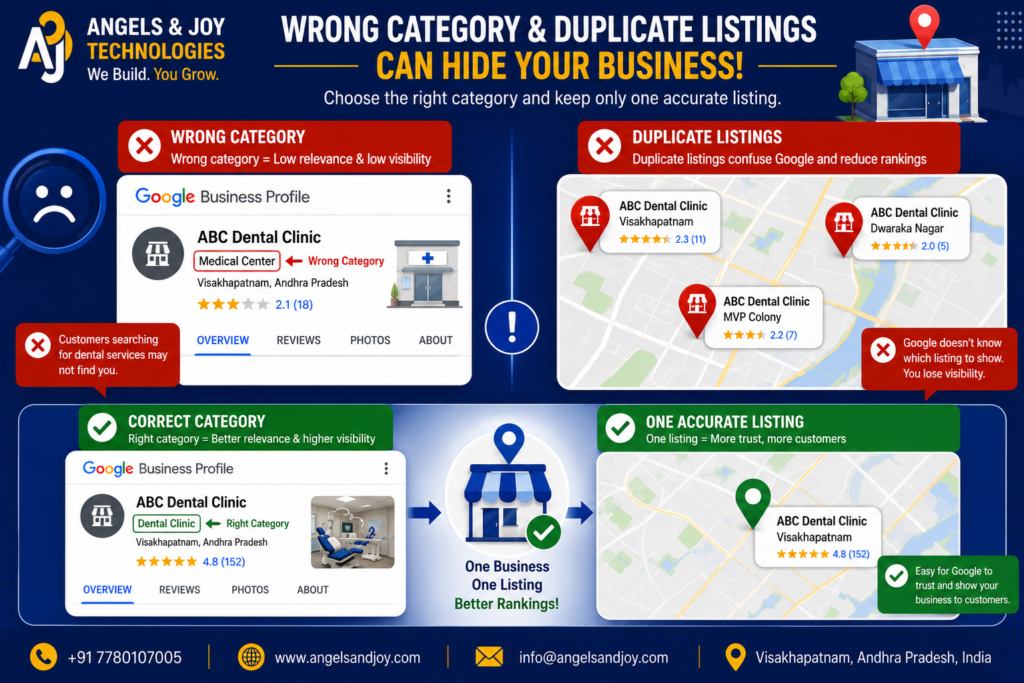
Your primary business category is one of Google’s strongest ranking signals.
For example, if you own a dental clinic but select “Medical Center” instead of “Dental Clinic,” Google may struggle to display your business for dental-related searches.
How to Fix It
Choose the category that most accurately represents your primary service.
Then add relevant secondary categories if needed.
Accurate categorization significantly improves local search relevance.
5. Your Business Has Been Suspended
Sometimes Google suspends business profiles that violate its policies.
Common reasons include:
- Keyword stuffing in the business name
- Fake addresses
- Duplicate listings
- Virtual office misuse
- Incorrect business information
If suspended, your profile may disappear completely.
How to Fix It
Review Google’s Business Profile guidelines.
Correct any policy violations.
Submit a reinstatement request through Google Business Profile Support if necessary.
6. Your Location Doesn’t Match the Search
Google personalizes search results based on the user’s location.
For example:
A person searching for “Restaurant Near Me” in Hyderabad won’t usually see restaurants located in Visakhapatnam.
This doesn’t necessarily mean your profile has disappeared.
How to Fix It
Search using your exact business name or include your city.
For example:
- Angels & Joy Technologies Visakhapatnam
- Dental Clinic Visakhapatnam
This provides a more accurate indication of your profile’s visibility.
7. Your Profile Has Very Few Reviews
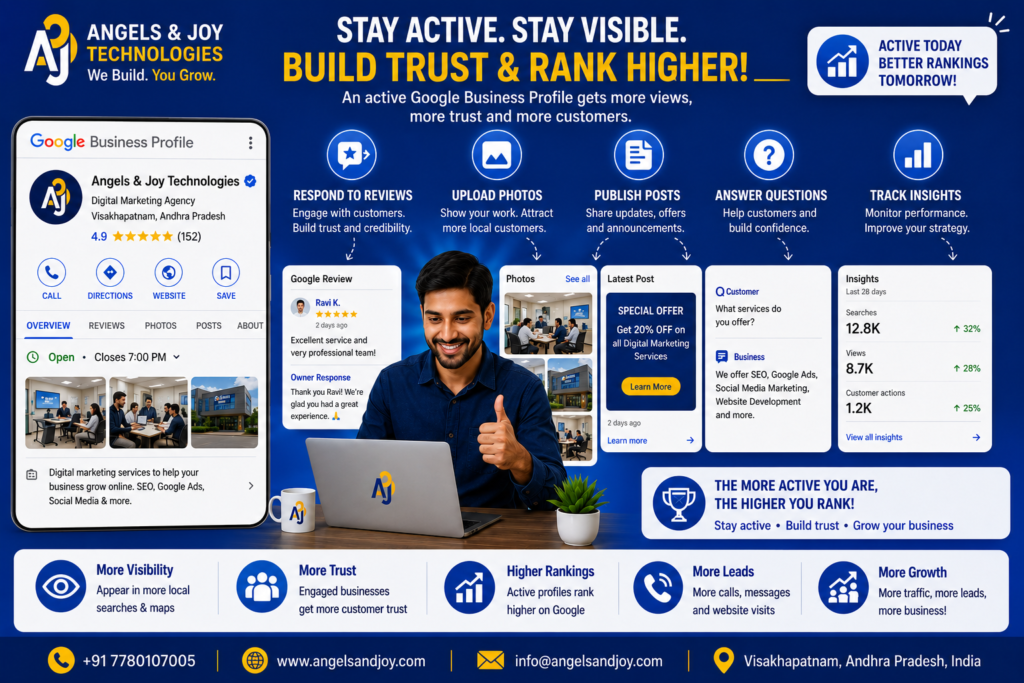
Customer reviews help Google measure business trust and popularity.
Profiles with little or no review activity often struggle to compete against businesses with strong reputations.
How to Fix It
Encourage satisfied customers to leave honest reviews.
Always respond professionally to every review.
Active engagement demonstrates that your business is genuine and customer-focused.
8. Duplicate Business Listings Exist
Sometimes multiple listings are accidentally created for the same business.
Duplicate profiles confuse Google and may reduce ranking performance.
How to Fix It
Search for your business name on Google Maps.
If duplicate listings exist:
- Request removal of duplicates.
- Merge profiles if eligible.
- Keep only one accurate listing.
Maintaining a single authoritative profile improves trust.
9. Your Website Isn’t Supporting Local SEO
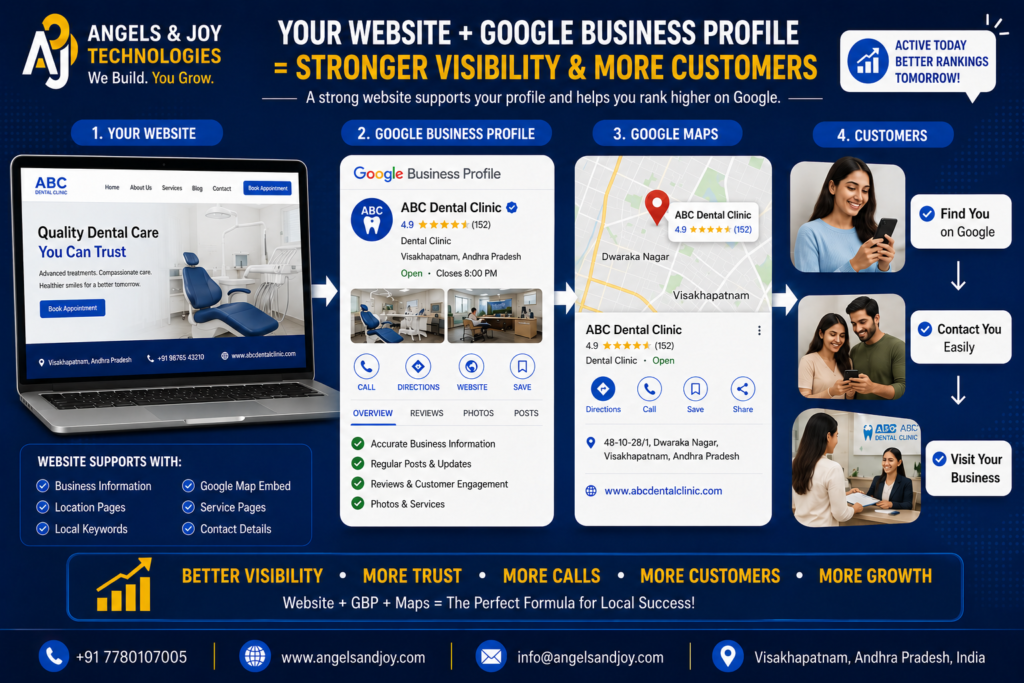
Your Google Business Profile works best when supported by a strong website.
If your website lacks location-based information, Google has fewer signals confirming where your business operates.
How to Fix It
Ensure your website includes:
- Business address
- Contact information
- Service locations
- Google Map embed
- Local keywords
- Consistent business details
A well-optimized website strengthens your Google Business Profile.
10. Your Profile Isn’t Active
Google prefers businesses that regularly maintain their profiles.
Inactive profiles often lose visibility over time.
Stay Active By:
- Uploading new photos
- Publishing Google Posts
- Updating business hours
- Responding to reviews
- Adding new services
- Answering customer questions
Consistent activity tells Google your business is actively serving customers.
Common Mistakes That Prevent Rankings
Many businesses unknowingly make mistakes that reduce their visibility.
Avoid these common problems:
- Using fake business locations
- Adding keywords to the business name
- Ignoring customer reviews
- Leaving information incomplete
- Creating duplicate profiles
- Uploading low-quality images
- Choosing incorrect categories
- Using outdated contact information
Following Google’s guidelines is always the safest long-term strategy.
How Long Does It Take to Appear Again?
The timeline depends on the underlying issue.
Typical recovery times include:
- Verification completed: 2–7 days
- Profile updates: Several days
- Duplicate removal: 1–3 weeks
- Suspended profile reinstatement: Varies based on Google’s review process
Patience and consistency are important.
Avoid making unnecessary changes every day, as frequent edits can sometimes delay Google’s review process.
Best Practices to Maintain Visibility
To keep your Google Business Profile performing well:
✔ Complete every section.
✔ Keep business information accurate.
✔ Upload fresh photos regularly.
✔ Collect genuine customer reviews.
✔ Respond to every review professionally.
✔ Publish Google Posts consistently.
✔ Keep your website updated.
✔ Follow Google’s Business Profile policies.
Businesses that consistently maintain their profiles generally achieve stronger long-term local visibility.
Why Professional Optimization Matters

While creating a Google Business Profile is straightforward, optimizing it for maximum visibility requires experience.
Professional optimization includes:
- Keyword-focused business descriptions
- Proper category selection
- Local SEO improvements
- Website integration
- Review strategy
- Ongoing profile management
- Performance monitoring
These strategies help your business compete more effectively in local search results.
Final Thoughts
A Google Business Profile that isn’t showing on Google can be frustrating, but it’s usually a problem that can be fixed.
Most visibility issues are caused by incomplete information, verification delays, incorrect categories, duplicate listings, or weak local SEO signals.
By carefully reviewing your profile, following Google’s best practices, and maintaining an active online presence, you can significantly improve your chances of appearing in Google Search and Google Maps.
Remember, your Google Business Profile is often the first impression potential customers have of your business. Keeping it accurate, complete, and optimized is one of the most effective ways to attract local customers and grow your business.
Frequently Asked Questions
1. Why can’t I find my business on Google?
Your profile may still be under review, unverified, suspended, incomplete, or not optimized for local search.
2. How long does it take for a Google Business Profile to appear?
Most verified profiles become visible within a few days, but some may take several weeks depending on Google’s review process.
3. Can I improve my Google Maps ranking?
Yes. Completing your profile, collecting reviews, adding photos, maintaining accurate information, and improving your website’s local SEO all contribute to better rankings.
4. Should I create a new profile if mine isn’t showing?
No. Creating duplicate profiles often causes additional problems. It’s better to identify the issue with your existing profile and resolve it.
Ready to Get Your Business Back on Google?
At Angels & Joy Technologies, we help businesses troubleshoot, optimize, and manage their Google Business Profiles to improve local visibility and generate more customer inquiries.
From profile verification and optimization to local SEO and professional website development, we provide complete digital solutions designed for long-term business growth.
👉 Contact Angels & Joy Technologies today for a free consultation and let us help your business get found on Google again.